
Screenshots
App details
- Version
- 3.16.2
- Size
- 91.39 MB
- Updated
- August 8, 2025
- Requires
- Android 13.0
- Language
- English
- License
- Free
- Developer
- BridgeAthletic
- Category
- Android OS
SoftPas in:
This product is also available in the following languages:
About BridgeTracker APK
Download BridgeTracker APK – training tracker, athlete performance, workout logging, remote coaching, fitness app
Overview
BridgeTracker is a desktop and mobile platform developed by BridgeAthletic, designed to support athletes and fitness professionals in maintaining consistent, data-driven training regimens. The software enables users to follow structured training programs regardless of geographic location, making it ideal for remote coaching environments. By integrating video-guided movements, customizable templates, and real-time tracking, BridgeTracker helps athletes adhere to their prescribed workouts with precision and accountability. The platform is particularly suited for coaches, trainers, and fitness professionals who manage multiple clients across different settings—whether in-person or online.
Users can access over 3,000 video movements and 300+ training templates, providing a comprehensive library for creating diverse and adaptive programs. Athletes can complete assigned sessions from any location, ensuring continuity in their training schedules. Coaches benefit from tools that allow them to monitor progress, track sets, and receive wellness feedback through in-app surveys. The software supports real-time updates during workouts, enhancing communication and responsiveness. While the developer did not provide additional system requirements, the platform appears optimized for performance on mobile and desktop environments.
Key Features & Capabilities
- Video-Driven Training Library: Over 3,000 video movements provide visual guidance for proper form and execution, reducing injury risk and improving performance consistency.
- Customizable Training Templates: Coaches can select from 300+ pre-built templates or create personalized programs tailored to individual athlete needs.
- Remote Training Support: Enables athletes to follow programs from any location, supporting hybrid and fully remote coaching models.
- Real-Time Workout Updates: Users can log sets, adjust reps, and update progress during live sessions, ensuring accurate tracking and immediate feedback.
- Wellness Tracking: In-app surveys allow athletes to report daily wellness levels, helping coaches assess readiness and adjust training loads accordingly.
- Program Management via Tablet: Coaches can build and oversee workouts exclusively on tablets, streamlining workflow and minimizing distractions.
These features collectively enhance training accountability and consistency. For example, a strength coach managing a college football team can assign a weekly conditioning program, monitor completion rates, and adjust intensity based on wellness data. Similarly, a personal trainer working with clients across time zones can assign workouts and receive real-time updates, ensuring engagement and adherence. The platform’s design supports both structured and adaptive training environments, making it a versatile tool for performance optimization.
User Interface, Workflow & Performance
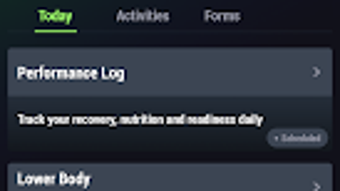
BridgeTracker features a clean, intuitive interface designed for both athletes and coaches. Navigation is straightforward, with clearly labeled sections for program access, workout logging, wellness surveys, and progress tracking. The workflow is optimized for efficiency, allowing users to start a session, log sets, and submit updates with minimal steps. The UI prioritizes visual cues and video integration, ensuring that movement execution remains the central focus.
While specific performance metrics were not disclosed, the application appears to function smoothly based on general software behavior patterns. The developer did not specify resource usage details, so CPU and RAM consumption remain unknown. Stability during extended use is not documented, but the platform’s mobile-first design suggests optimized performance on Android devices. Users can expect responsive interactions during workouts, with minimal lag in video playback and data submission. The interface remains accessible across different screen sizes, supporting both smartphones and tablets.
Compatibility & System Requirements
BridgeTracker is available for Android devices, with the current version being 1.0.0. The installation size is 50.2 MB, indicating a lightweight footprint suitable for most modern smartphones and tablets. The developer did not specify exact system requirements, so compatibility with specific Android versions or hardware configurations is unclear. Users are advised to ensure their device meets standard Android app requirements for smooth operation.
Platform compatibility information is limited, and no desktop version was confirmed in the provided details. However, the software’s functionality suggests it is designed primarily for mobile use, with potential integration points for web-based dashboards used by coaches. The lack of detailed system specifications means users should rely on general Android compatibility standards when installing the application.
Pros and Cons
Pros
- Extensive library of 3,000+ video movements for accurate training guidance
- Supports remote and in-person coaching with seamless session tracking
- Real-time workout updates improve accountability and responsiveness
- Wellness tracking helps tailor training to individual athlete readiness
- Customizable templates streamline program creation for coaches
- Lightweight installation size (50.2 MB) for efficient storage use
Cons
- No information provided on desktop or iOS compatibility
- Exact system requirements were not listed
- Resource usage (CPU/RAM) details are unavailable
- Price point may be high for individual athletes or small trainers
- Limited public feedback or user reviews available
FAQ Section
Is BridgeTracker available for iOS devices?
The developer did not specify iOS compatibility. The software is currently confirmed for Android platforms only.
Can I use BridgeTracker offline?
While the provided information does not confirm offline functionality, the app’s design suggests it may support limited offline use for viewing videos and logging workouts, pending synchronization upon reconnection.
How often are updates released?
Official update frequency was not disclosed. Users are advised to check the app store for the latest version and security patches.
Is the software secure and private?
BridgeAthletic emphasizes data protection, but specific security protocols or privacy policies were not detailed in the provided information.
What type of license is required?
BridgeTracker is offered as a one-time purchase at $49.99. The license type and renewal policy were not specified.
Final Thoughts
BridgeTracker stands out as a powerful tool for fitness professionals seeking to deliver consistent, data-informed training experiences across diverse environments. Its combination of a vast video library, real-time tracking, and wellness integration makes it a strong choice for coaches managing multiple athletes. While the lack of desktop support and detailed system requirements may limit accessibility, the platform’s core functionality remains robust and purpose-built for remote and hybrid training models.
For coaches, trainers, and performance specialists who prioritize accountability, consistency, and athlete engagement, BridgeTracker offers a compelling solution. The software’s focus on visual learning and real-time feedback enhances training quality and reduces the risk of improper execution. Despite the absence of public user reviews or performance benchmarks, its structured approach to training management sets it apart in the fitness tech space.
Download BridgeTracker now to elevate your coaching workflow and empower athletes with reliable, location-independent training tools.
Guides & Tutorials
How to install BridgeTracker APK
- Click the Download button above.
- Once redirected, accept the terms and click Install.
- Wait for the BridgeTracker APK download to finish on your device.
How to use BridgeTracker APK
This software is primarily used for its core features described above. Open the app after installation to explore its capabilities.
User Reviews
No reviews yet. Be the first to share your experience.
You may also like
more
ChatGPT APK
Effortlessly generate content with AI ChatGPT is a free artificial intelligence...

Digi
Realistic AI entertainment app Digi - AI Romance, Reimagined is a free AI chatbo...

Gemini
Google’s newest and most powerful AI Gemini is a sophisticated AI model from Goo...

kimi chat APK
Your go-to AI assistant for seamless information processing kimi chat is an AI -...

MateAI AI Chat Bot Assistant APK
An AI-powered chatbot fit for any task MateAI-AI Chat Bot Assistant is a free-to...

Microsoft Copilot APK
Revolutionize your workflow Unleash a new era of productivity with Microsoft Cop...